← Home

Giving Claude Code an OpenCode-Like Sidebar
· 1 min read

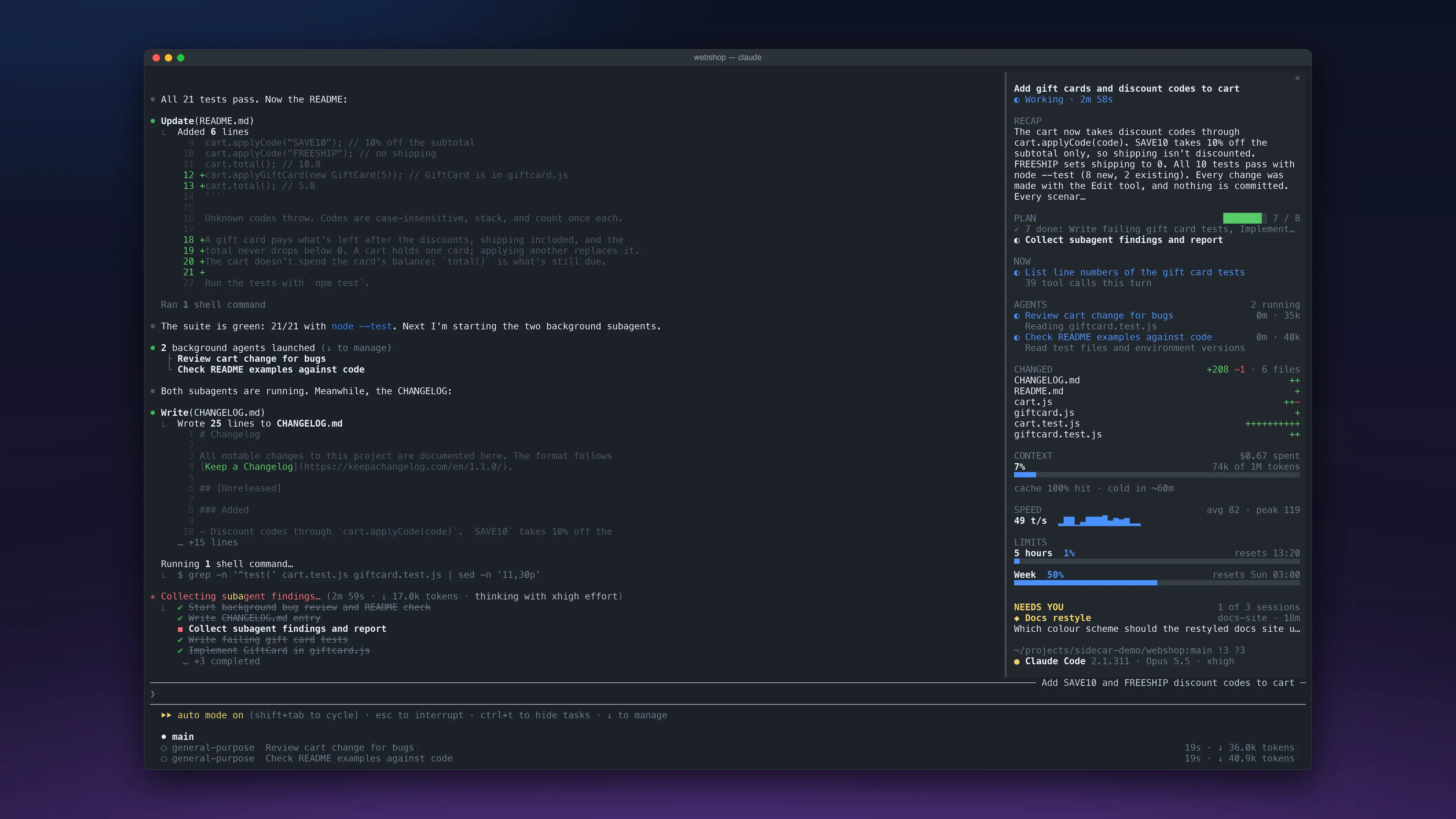
A Claude Code session in a terminal window on a dark blue desktop, with the transcript on the left and the sidebar on the right. The sidebar shows the session's title and how long it has been working, a recap, a plan with 7 of 8 tasks done, two subagents running, six changed files with lines added and removed, the context window and cost, output speed, the usage limits, another session waiting on an answer, and the folder, branch and Claude Code version.

I like OpenCode’s sidebar. It sits beside the conversation and shows where the session stands: the context, the todos and the files it changed. Claude Code doesn’t have one, so I built one as a mod.

Sidecar docks a panel beside the transcript. It shows the session’s plan, what Claude is doing right now, its subagents, the files it changed, the context window, your usage limits and the other sessions waiting on you.
A Claude Code session adds SAVE10 and FREESHIP discount codes to a shop’s cart, and the recording zooms in on the sidebar as it fills in: the title and working time, a plan ticking off its tasks, what Claude is doing now, a review subagent, the changed files with lines added and removed, the context window and cost, output speed, usage limits and two other sessions that need an answer. It ends with the session done and a recap of the rounding bug the review found.

It’s open source. To install it, run this at the prompt of a Claude Code session, version 2.1.300 or later:

/plugin install sidecar --marketplace smolnar/cc-sidecar