Reverse-Engineering My Standing Desk with a Coding Agent
My standing desk, a Liftor Magic, came with a handset I never liked. I wanted to get rid of it and run the desk from my laptop instead, or from my phone, or from a controller of my own on the desk if I ever feel like building one. That’s how this started.
In the past, I wouldn’t have bothered. It meant writing firmware for a microcontroller, a menu bar app for the Mac, and everything in between. This time I did the wiring, and once it was wired, a coding agent built the firmware and the app and tied it all together. It kept checking its own work with acceptance tests and on the real desk, and I made the decisions. The whole thing, firmware, app, tests and wiring, was done in about five hours, and I was hands-on for about an hour of it, wiring included.
The Plan
Under the Liftor’s tabletop sits a Loctek control box, and the handset plugs into it with an RJ45 cable. LoctekMotion_IoT already documents the protocol: a 9600 baud serial line with frames that start with 9B and end with 9D. That was the specification.
The plan: unplug the handset, plug an ESP32 into its port, and talk to the ESP32 from the Mac over Wi-Fi. My rules for the agent:
- No buttons and no web page. The Mac is the controller.
- Nobody without the key moves the desk, even on a hacked network.
- Never below 80 cm.
- Keep every log, for this post.
Wiring It Up
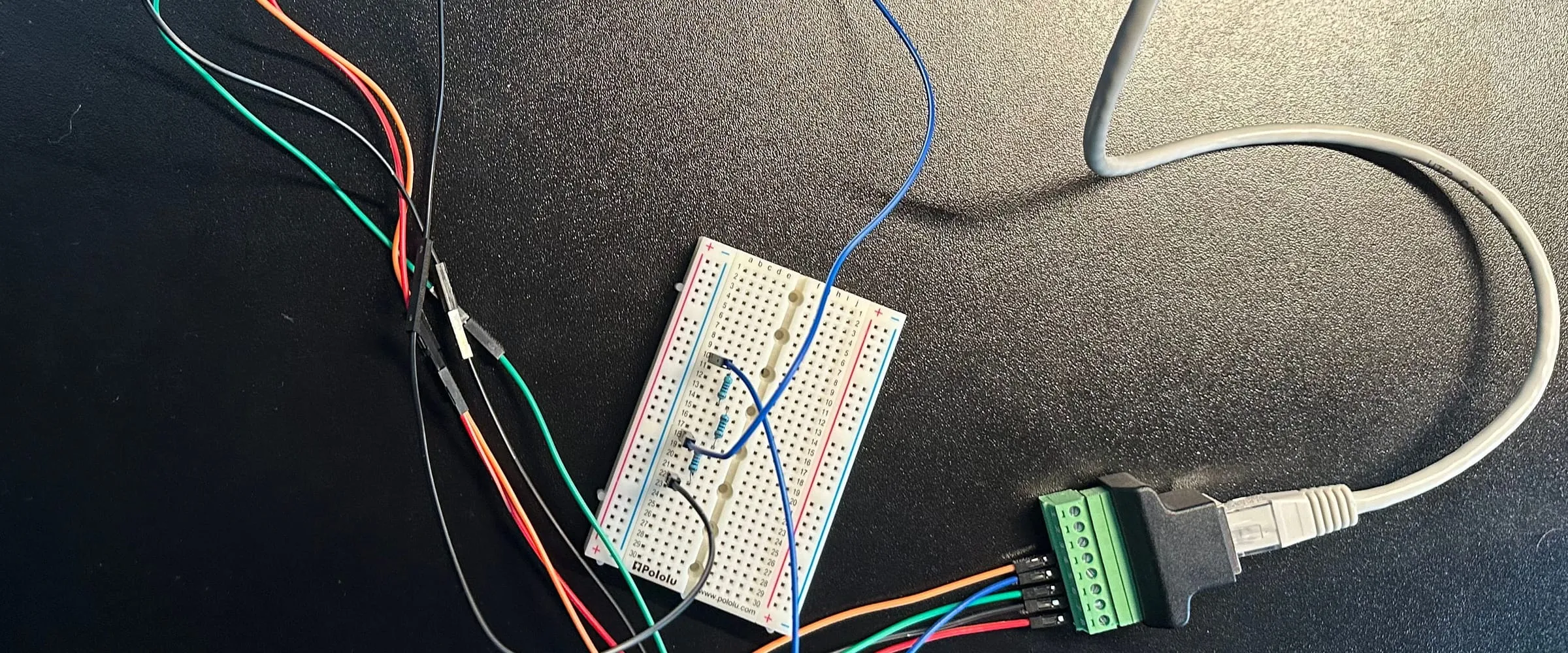
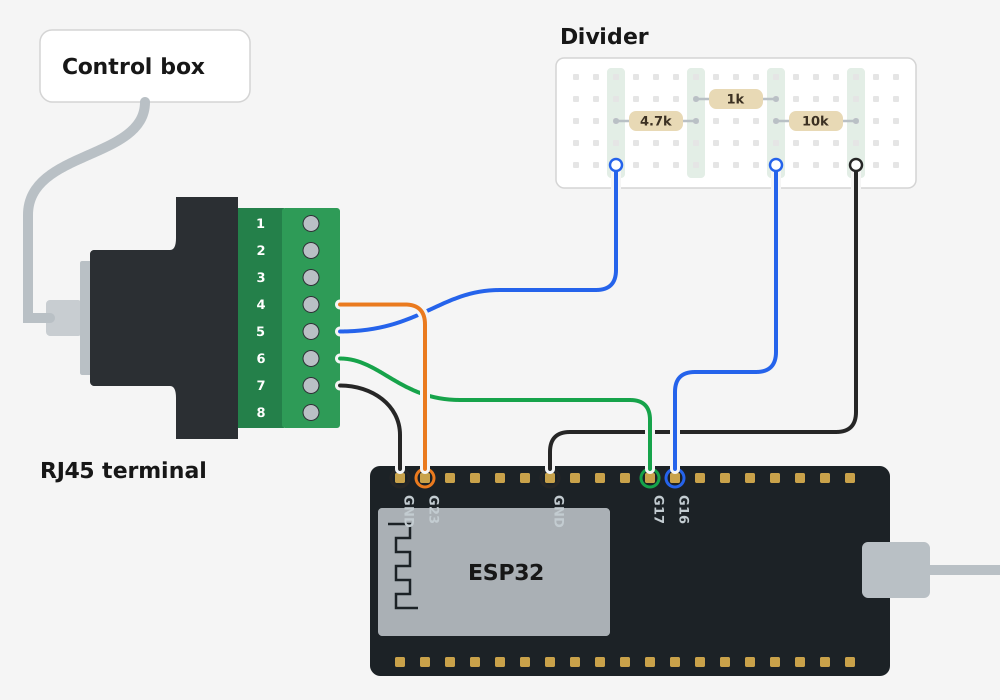
The wiring turned out to be easy. Four wires leave an RJ45 screw terminal: wake, keys and ground go straight to the ESP32, and the height goes through a breadboard first. That’s the only tricky part. The box talks in 5 V, and the ESP32’s G16 pin takes at most 3.6 V, so three resistors bring it down to 3.4 V. I could have soldered them, but it all hides under the desk anyway, so they sit on a breadboard. The ESP32 runs from its own USB charger, since the desk’s 5 V sagged under Wi-Fi and kept rebooting it.
Meter the port before you plug anything in, though. Some Loctek boxes put 29 V on pins 7 and 8, which would fry the ESP32. Mine stayed under 6 V.
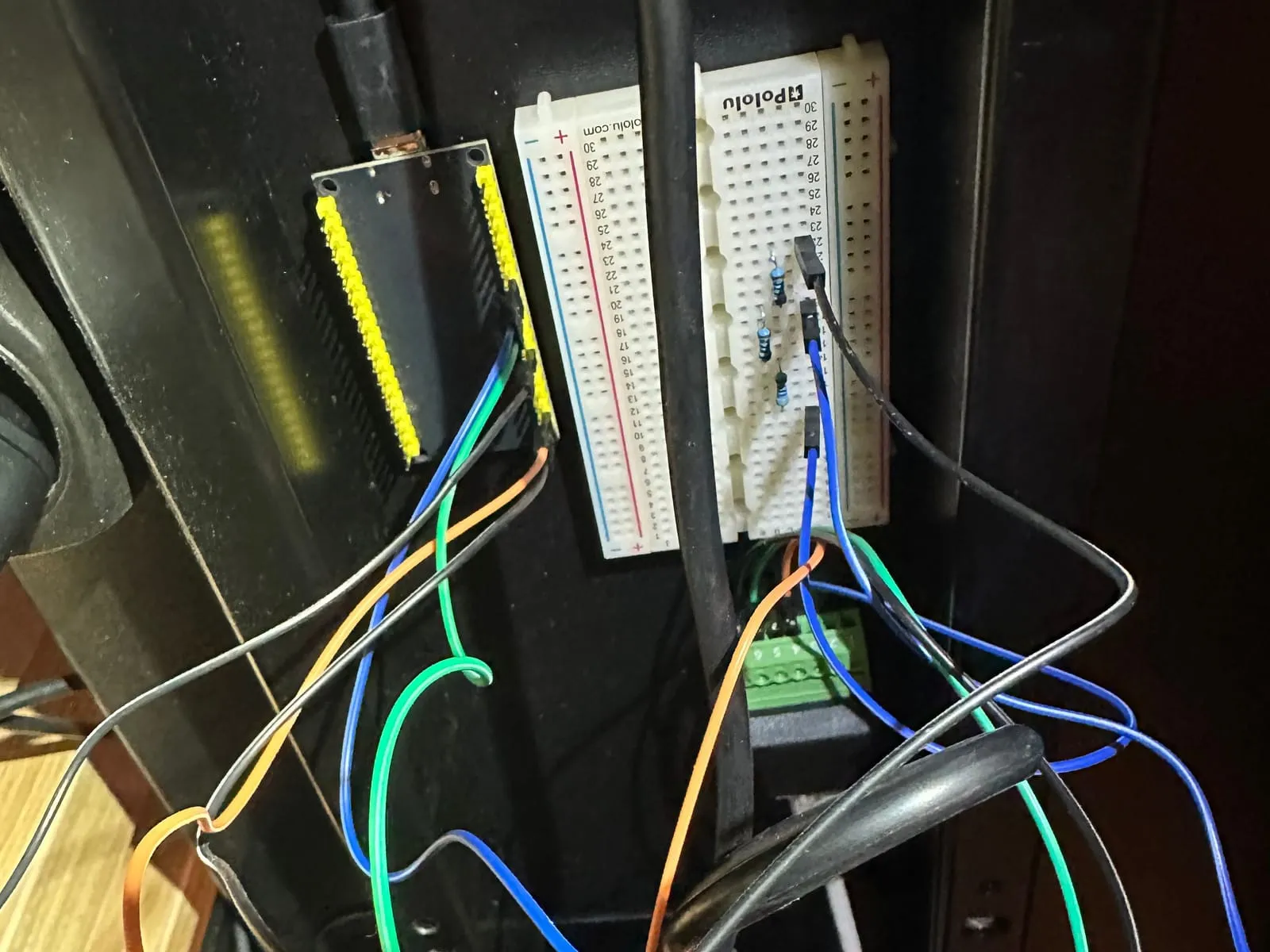
Taped under the desk. Not pretty, but it works.
Listening First
The first firmware only listened. My desk said this, over and over:
[D][uart_debug:113]: <<< 9B 04 11 7C C3 9D 9B 07 12 38 5C 39 67 EC 9D
[D][uart_debug:113]: <<< 9B 04 11 7C C3 9D 9B 07 12 38 5C 39 67 EC 9D
9B 04 11 … 9D is a poll, about every 45 ms: “handset, are you there?” 9B 07 12 … 9D is what the handset should display, one bit per segment, and 38 5C 39 spells LoC. The desk was locked.
Cracking the Lock
LoctekMotion_IoT has a hint: its “Child lock” switch holds M for five seconds. But that’s a blind toggle. Nothing documents how the box reports the lock, so you can’t tell whether you just locked the desk or unlocked it. So the agent tested it, safely: the firmware answered the box’s polls with only two keys, “no key” and M, and neither moves the desk.
[D][main:101]: experiment B: wake pulse, then hold M for 6 s through the poll replies
[I][desk:186]: display "LoC"  <<< 9B 07 12 38 5C 39  (polls so far 514, replies 124)
[I][desk:186]: display "89.9"  <<< 9B 07 12 7F EF 6F  (polls so far 602, replies 201)
After about 3.7 seconds of M, the display showed 89.9. Unlocked. A second experiment showed what not to do: a short tap of M opens the mode for saving presets. So the final firmware holds M only to lock or unlock, and lets go the moment the display changes.
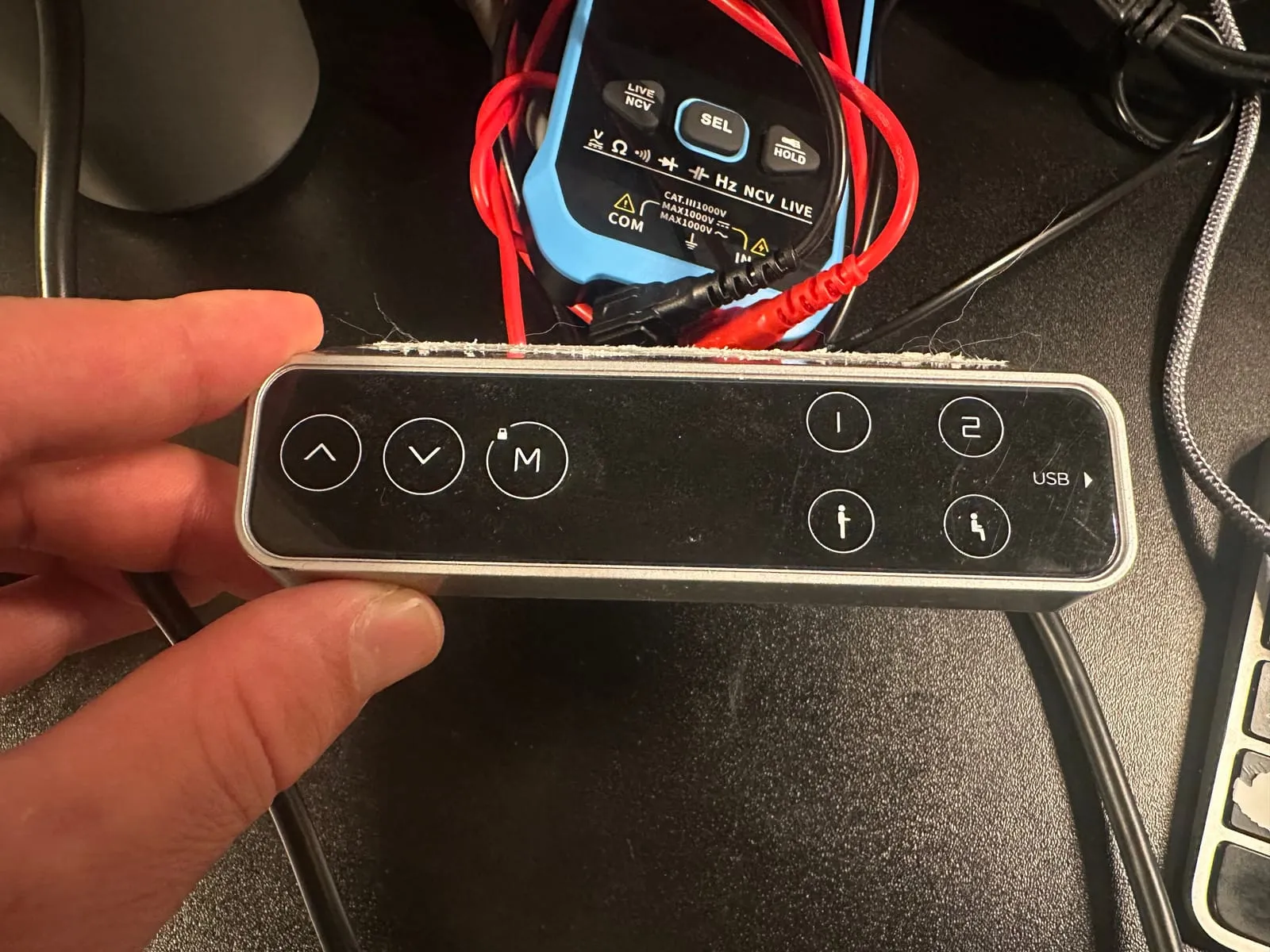
The handset. See the little lock above M?
First Moves
A few minutes later, the desk moved for the first time. The agent typed the commands, and I watched:
[18:53:03.249][I][desk:079]: go to 95.0 cm from 89.9 cm
[18:53:04.460][D][desk:050]: key Up  >>> 9B 06 02 01 00 FC A0 9D
[18:53:05.945][I][desk:061]: move ended: reached the height, at 94.3 cm
[18:53:06.210][I][desk:033]: display "95.2"  <<< 6F ED 5B
The display lags behind the motor, so the firmware lets go 0.8 cm early and the desk coasts the rest. Up, down, Sit, Stand, Stop and Lock all worked, and every move was refused while the desk was locked. And it finishes every move with 0.1 cm steps, so Sit lands on exactly 82.5.
The Menu Bar App
Then came the app I actually wanted: LiftorDeskController, in the Mac’s menu bar. A click on an arrow moves the desk 0.1 cm and a hold moves it at full speed. Sit and Stand go to my heights, and the desk locks itself a minute after the last move.
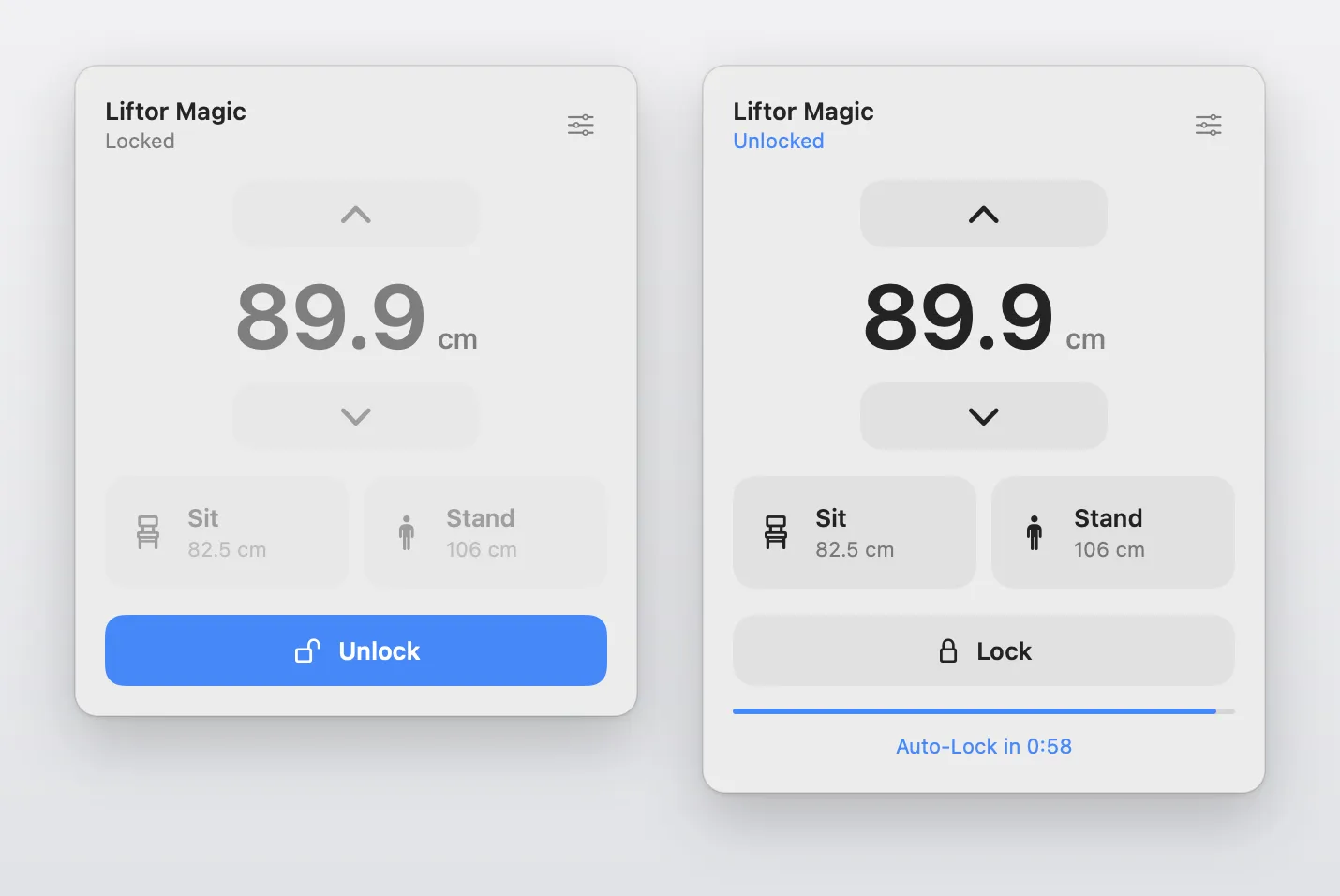
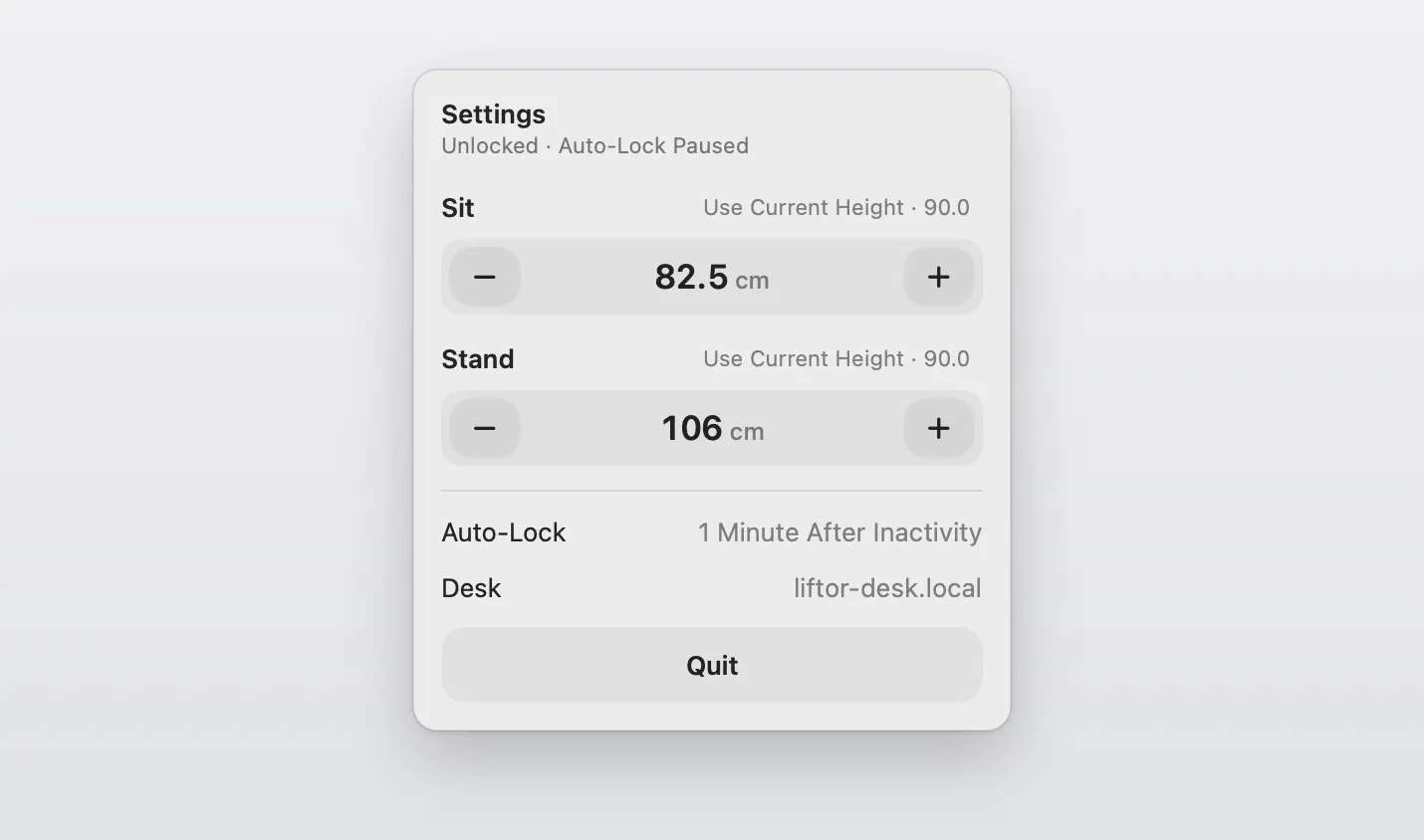
Settings holds the Sit and Stand heights, 82.5 and 106 cm by default, and the desk’s address.
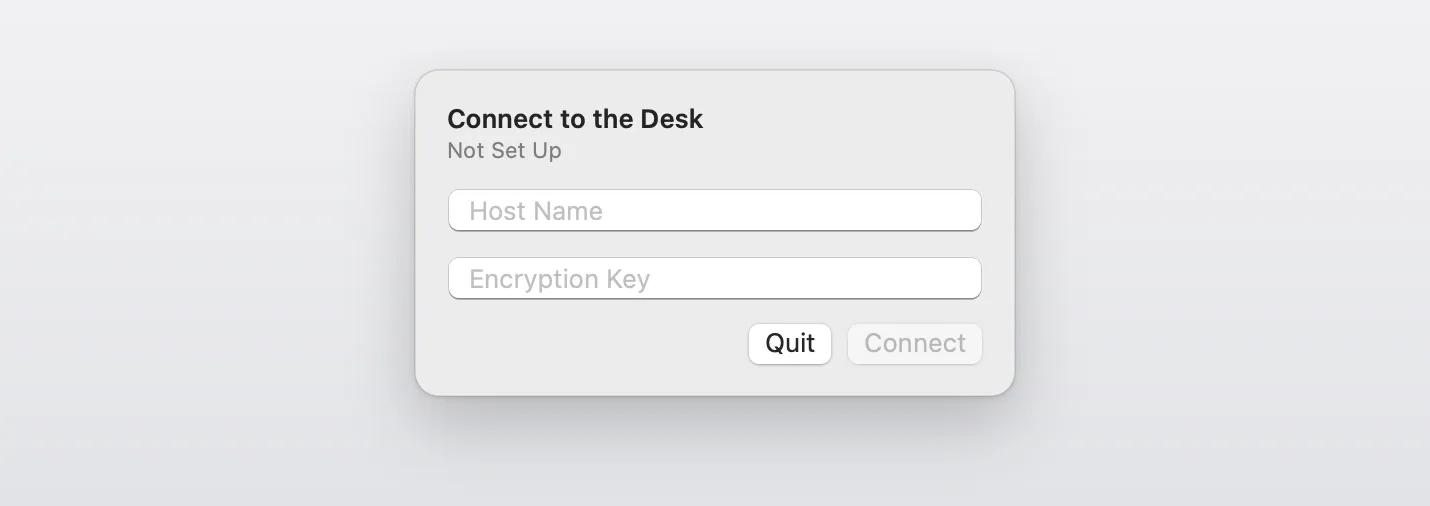
Everything between the Mac and the desk is encrypted, every command and every height reading. The ESP32 speaks only ESPHome’s native API, and nothing gets through it without a 32-byte key. The app asks for the key once and keeps it in the Keychain, and the agent wrote the encryption for the Swift app from scratch.
Then it scanned all 65,535 ports on the board to make sure only the API’s port is open, and checked that clients without the key get refused.
Tested E2E
The firmware’s rules run as 49 scenarios against a simulated control box. The app’s 23 acceptance tests drive it over the real encrypted protocol, against a stand-in desk running on the Mac. Then the agent flashed the board over USB, ran the same commands on the real desk and read the logs. When something was off, it wrote a test for it, fixed it and tried the desk again.
Summary
I swapped my desk’s handset for an ESP32 and a menu bar app on my Mac. The protocol came from the community, the lock from a few safe experiments, and the wiring is a handful of jumper wires and three resistors. Once it was wired, the agent built the firmware, the app and the tests, tied it all together and checked it on the real desk. All of it was done in about five hours, and I was hands-on for about an hour, wiring included.
The firmware, the app and the protocol always stopped me from building things like this. They took too long, and it wasn’t worth it. Now they’re the cheap part. Agents brought the cost of building cool little things for yourself down to almost zero, so it’s the perfect time to experiment.